I recently came upon a web-based tool called ClassParrot. This site offers teachers, students, and parents a way to safely communicate about upcoming events and offer reminders without exchanging phone numbers.
All you have to do is sign up your class(es). When you do so, you get a unique number and code that you then share with whomever you would like to receive the alerts. The student (parent, etc.) then texts that number with the unique code to sign up for text alerts from that class.
According to the website, only 22% of emails are opened vs. 98% of texts. All texts sent by you (the teacher) are broadcast to all subscribers of your class. Students may reply to your text, thus opening up two-way communication.
Before you start worrying about keeping track of a bunch of phone numbers (or students having your personal number), stop worrying. Teachers, students, and parents can never see each other's phone numbers. On the teacher side of the deal, all texts sent and received are through the website.
Now for the questions I'm sure is on all of your minds. Price. Teachers receive 500 credits (messages) for free. Every month ClassParrot gives you 200 more credits. There are pay plans, which are very affordable if you don't think that is enough credits for your needs.
And I am here to offer you a great deal (OK...the deal is really from ClassParrot, not me). If you would like to sign up with ClassParrot & accept my invitation (click the linky!), then you will not only receive the 500 free credits, you will also receive 200 bonus credits (as will I!).
Showing posts with label teacher tools. Show all posts
Showing posts with label teacher tools. Show all posts
Monday, October 24, 2011

Tuesday, April 19, 2011
Twitter PLN
I have become involved in developing a Personal Learning Network on Twitter. It has been a source of inspiration, entertainment, opportunities to share, and ideas to implement in my classroom.
One night a couple of weeks ago a colleague on twitter asked people to collaborate on a google doc with their twitter handle.
I was pretty early in to view the doc. It was amazing. The growth within the first ten minutes was truly mind-blowing. The next morning I checked the document to see if there were any new additions. Not only were there new additions - there were SEVERAL new additions - not only of people to follow on twitter, but also the addition of subject areas.
When I have talked to people I work with about twitter I don't know that the power of twitter is truly understood. So I hereby challenge anybody reading this to go to twitter, sign up for an account, and give it two weeks. If you don't want to participate with your own tweets, then find some people to follow and learn how to follow the hash tags that interest you. A couple I follow are #sschat, #edchat, and #running.
And just to start you off - HERE is the google doc with hundreds of twitter handles sorted by subject area.
Give it a try - what do you have to lose?
One night a couple of weeks ago a colleague on twitter asked people to collaborate on a google doc with their twitter handle.
I was pretty early in to view the doc. It was amazing. The growth within the first ten minutes was truly mind-blowing. The next morning I checked the document to see if there were any new additions. Not only were there new additions - there were SEVERAL new additions - not only of people to follow on twitter, but also the addition of subject areas.
When I have talked to people I work with about twitter I don't know that the power of twitter is truly understood. So I hereby challenge anybody reading this to go to twitter, sign up for an account, and give it two weeks. If you don't want to participate with your own tweets, then find some people to follow and learn how to follow the hash tags that interest you. A couple I follow are #sschat, #edchat, and #running.
And just to start you off - HERE is the google doc with hundreds of twitter handles sorted by subject area.
Give it a try - what do you have to lose?
Wednesday, April 6, 2011
SpicyNodes - Presentation Tool
I like Prezi...quite a bit. That being said, I also like to have a virtual arsenal (yes...I said arsenal) of presentation tools at my disposal.
My latest and greatest find is SpicyNodes. I have to be honest - I don't like the name. I'm not sure why, but it just sounds...wrong.
What I do like about it is it's non-linear method of mind-mapping delivery. Let me try to explain. Prezi is non-linear, and it can be a very good mind-mapping tool. In order to be effective, you really do need to have the "big picture" in mind when making a presentation with Prezi.
SpicyNodes, on the other hand, is more of a web-style mind map. The viewer can manipulate through the preso in any order they would like (so it wouldn't be as good for a chronological sort of lesson), and always get back to the home bubble to start over.
So...here is one I played around with. There is a free version available, as well as premier features for paid members.
My latest and greatest find is SpicyNodes. I have to be honest - I don't like the name. I'm not sure why, but it just sounds...wrong.
What I do like about it is it's non-linear method of mind-mapping delivery. Let me try to explain. Prezi is non-linear, and it can be a very good mind-mapping tool. In order to be effective, you really do need to have the "big picture" in mind when making a presentation with Prezi.
SpicyNodes, on the other hand, is more of a web-style mind map. The viewer can manipulate through the preso in any order they would like (so it wouldn't be as good for a chronological sort of lesson), and always get back to the home bubble to start over.
So...here is one I played around with. There is a free version available, as well as premier features for paid members.
Monday, March 21, 2011
Welcome Colleagues!! (Twister)
I shared the blog url with some colleagues last Friday (3/18/11), and asked them if they have any sites they would like to share. If you are one of my co-workers, WELCOME! Thanks for visiting! I believe it is through the collaborative process that this site can grow, and I look forward to hearing your feedback as well as adding any sites you may know about that I have missed.

So. For today's website. Many of the sites listed here are from other people's blogs or from my PLN on twitter (@slymrgn if you want to join me). In honor of that, today's site is called Twister. It is another of the classtools handy dandy templates. You can only have one tweet at a time, which really makes it nice to capture the essence of the person you are portraying. Oh...did I mention that Twister goes out and finds a picture of whomever you are tweeting from to make a customized background? Yep...it does! And...it's free!
How I would use it in the classroom: One way is to have students make a collection of them to decorate a bulletin board. I think that would be cool.

The tweet I made just for you! (OK...and for myself, too)
Tuesday, February 15, 2011
xtranormal
xtranormal is a text to movie site
I first found out about it through a friend's link on facebook that explained Quantative Easing. For such a serious subject, I couldn't stop giggling. But even more importantly, I learned. I now *understand* Quantative Easing. To a point...as much as anybody can.
I then made a xtranormal clip that followed the text of a blog that I follow..it was funny, I enjoyed it, and it was fun to make.
I have most recently used it in my classroom to make videos that grab the students' attention. Here is my most recent:
Unlike other sites I have shared, this one isn't free for everybody. However, if you send xtranormal a message letting them know you are a teacher they will give you free xp points (which are required to publish a movie, you can make and preview movies for free)...when those points run out, they will give you more. So that's cool.
I had originally wanted to have student have the ability to make their own movies. Sadly enough, the movie that is on the front page of their website currently is NOT school friendly. Funny...but not school friendly.
My advice is to check it out. Used sparingly, I think it is a unique way to grab the attention of your class. And...it's fun/addictive to use!
I first found out about it through a friend's link on facebook that explained Quantative Easing. For such a serious subject, I couldn't stop giggling. But even more importantly, I learned. I now *understand* Quantative Easing. To a point...as much as anybody can.
I then made a xtranormal clip that followed the text of a blog that I follow..it was funny, I enjoyed it, and it was fun to make.
I have most recently used it in my classroom to make videos that grab the students' attention. Here is my most recent:
Unlike other sites I have shared, this one isn't free for everybody. However, if you send xtranormal a message letting them know you are a teacher they will give you free xp points (which are required to publish a movie, you can make and preview movies for free)...when those points run out, they will give you more. So that's cool.
I had originally wanted to have student have the ability to make their own movies. Sadly enough, the movie that is on the front page of their website currently is NOT school friendly. Funny...but not school friendly.
My advice is to check it out. Used sparingly, I think it is a unique way to grab the attention of your class. And...it's fun/addictive to use!
Sunday, February 13, 2011
Math Interactive Whiteboard Resources
I don't teach math. That being said, if I did I would definitely find a use for this website:
Whiteboard Resources
It. Is. Awesome. I played on it for entirely too long, just messing around.
And...you know if it's on my blog, it's FREE! You also don't need to register - click and use, that's all you have to do. Well...and make sure it meets your objectives for the day.
Yep - check it out. If you use this resource, please leave a comment letting me know. I'd love to know how you use it in your classroom!
Whiteboard Resources
It. Is. Awesome. I played on it for entirely too long, just messing around.
And...you know if it's on my blog, it's FREE! You also don't need to register - click and use, that's all you have to do. Well...and make sure it meets your objectives for the day.
Yep - check it out. If you use this resource, please leave a comment letting me know. I'd love to know how you use it in your classroom!
Thursday, February 3, 2011
My Fake Wall - EDITED...NEW AND IMPROVED!!!
Edit: I love the idea of the fakewall. However, there is advertising on the site and it is very bulky to work with. So I have researched better options. Lucky for all of us, there are people out there that see the same shortcomings in the fakewall site and they have improved the usability by creating...FAKEBOOK!!
Here's what I like about Fakebook:
No ads (yay!)
when you enter a name, the site goes out to the WorldWideWeb and finds pictures for you! I think as teachers we have to take a look at the technology/tools we are using and make sure they are not impeding the educational objective of the assignment. Fakebook is such a user friendly site you can use it to get the details down (i.e., conversations, relationships, etc.) but you are not bogged down with the finer details (saving pictures to upload, etc.).
If you link back to the originating site (classtools) you will also find some other cool stuff. But I'm saving that for another day.
End Edit
There has been quite a bit of a buzz about the following site. I've been wanting to have students make a facebook page for a historical person for quite awhile now. The only thing holding me back was the lack of a site that would make it easier...enter My Fake Wall!
I had a Google doc template that would've done the job. With some tweaking. Major tweaking. With this site, however, students can just plug in the information and shazam! There's the wall. In case you just want to do something different, there are also some already made, such as this one for Ben Franklin.
Pros: um...free & easy! Also, you really have to know quite a bit about a person and the events they are associated with in order to write a fakebook wall. I also see this as being relevant and interesting to students. This would also be fun for book characters, IMHO.
Cons: You have to create an account, and in order to do so you have to have an email. I honestly don't think that's a problem for most students today, but I don't feel comfortable making it a required activity because of this factor. Not really a con in the sense I will just have a choice of assignments that will all meet the goals I have for this assignment...but still kind of a bummer.
So here is my practice wall...made in honor of my kitty, Mozilla (and just for the record, if I were to get another it's name would be the vastly superior Chrome...just sayin').
http://www.myfakewall.com/
Here's what I like about Fakebook:
No ads (yay!)
when you enter a name, the site goes out to the WorldWideWeb and finds pictures for you! I think as teachers we have to take a look at the technology/tools we are using and make sure they are not impeding the educational objective of the assignment. Fakebook is such a user friendly site you can use it to get the details down (i.e., conversations, relationships, etc.) but you are not bogged down with the finer details (saving pictures to upload, etc.).
If you link back to the originating site (classtools) you will also find some other cool stuff. But I'm saving that for another day.
End Edit
There has been quite a bit of a buzz about the following site. I've been wanting to have students make a facebook page for a historical person for quite awhile now. The only thing holding me back was the lack of a site that would make it easier...enter My Fake Wall!
I had a Google doc template that would've done the job. With some tweaking. Major tweaking. With this site, however, students can just plug in the information and shazam! There's the wall. In case you just want to do something different, there are also some already made, such as this one for Ben Franklin.
Pros: um...free & easy! Also, you really have to know quite a bit about a person and the events they are associated with in order to write a fakebook wall. I also see this as being relevant and interesting to students. This would also be fun for book characters, IMHO.
Cons: You have to create an account, and in order to do so you have to have an email. I honestly don't think that's a problem for most students today, but I don't feel comfortable making it a required activity because of this factor. Not really a con in the sense I will just have a choice of assignments that will all meet the goals I have for this assignment...but still kind of a bummer.
So here is my practice wall...made in honor of my kitty, Mozilla (and just for the record, if I were to get another it's name would be the vastly superior Chrome...just sayin').
http://www.myfakewall.com/
Wednesday, February 2, 2011
ViewPure
The other day I went to view a video from YouTube. I had previewed it - I had connected it to what the objective I wanted to address - I had embedded it into a flipchart.
When it opened the side bar showed some "related" videos. And the comments showed up. None of which were bad or inappropriate, but it very easily could've been. I had gotten in the habit of using zamzar for those video clips I wanted to embed into a prezi or save for future use, I've also been using my YouTube channel in the classroom to show only the content I have vetted as appropriate. However - when I made this flipchart on the spot I just linked to YouTube.
This got me thinking. And searching. And I found a very useful site called ViewPure that allows me to view clips without all the distracting sidebar content and viewer comments (which lets face it - no matter how educational the subject matter they are not always appropriate!
If you use YouTube in your classroom I would urge you to check out the ViewPure website - it's easy to use, quick in the classroom, and best of all...FREE!
When it opened the side bar showed some "related" videos. And the comments showed up. None of which were bad or inappropriate, but it very easily could've been. I had gotten in the habit of using zamzar for those video clips I wanted to embed into a prezi or save for future use, I've also been using my YouTube channel in the classroom to show only the content I have vetted as appropriate. However - when I made this flipchart on the spot I just linked to YouTube.
This got me thinking. And searching. And I found a very useful site called ViewPure that allows me to view clips without all the distracting sidebar content and viewer comments (which lets face it - no matter how educational the subject matter they are not always appropriate!
If you use YouTube in your classroom I would urge you to check out the ViewPure website - it's easy to use, quick in the classroom, and best of all...FREE!
Saturday, January 8, 2011
LiveBinders and iPod Touch in the Classroom
I've been wanting to post about LiveBinders for quite a bit now. So for today, you're going to get a two-fer. Live Binders is a site which you can use to organize all your on-line resources. It's free (which you KNOW I love!), easy to use, and looks very professional. Even if you don't want to build your own LiveBinder, you can search through others and use theirs. I have gotten lost searching in there. Loads of good stuff!
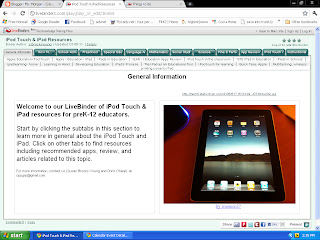
Speaking of the good stuff...I have a plan hatching in the back of my head. In order to have my plan actually come to fruition, I had to do some research. I have a few sites I enjoy going to first to do my research (and yes, Google is on the top of the list!), one of which is LiveBinder. It was there that I found my next link for you today. It is iPod Touch & iPad Resources. Oh. My. Goodness. I found way more information than I had been hoping for!
BTW - if my plan all comes together, I will be sure to let you know. Knowing me, it will probably culminate in another blog which will then follow the progress of the plan in action. You know - because I don't have enough already.

Speaking of the good stuff...I have a plan hatching in the back of my head. In order to have my plan actually come to fruition, I had to do some research. I have a few sites I enjoy going to first to do my research (and yes, Google is on the top of the list!), one of which is LiveBinder. It was there that I found my next link for you today. It is iPod Touch & iPad Resources. Oh. My. Goodness. I found way more information than I had been hoping for!
BTW - if my plan all comes together, I will be sure to let you know. Knowing me, it will probably culminate in another blog which will then follow the progress of the plan in action. You know - because I don't have enough already.
Friday, January 7, 2011
QuizSnack
QuizSnack is a site where you can create polls, quizzes, or surveys. After creating them, you can then embed them in your blog or website. No registration is required (although I signed in with my Facebook profile), and it's free. FREE! The quiz is saved in the cloud (which I am all about lately!), and you can choose how the results are displayed. There are templates to customize your quiz to suit your site. In addition, QuizSnack is a tool from "SnackTools," where you can create audio playlists, flash banners, videoplayers, and flip books.
How I would use this in my classroom. Possibilities are endless. I can't even wrap my mind around it.

How I would use this in my classroom. Possibilities are endless. I can't even wrap my mind around it.
Friday, December 17, 2010
Instructional Strategies
I've been noticing that I have been using WAY more lecture time than I really want to have in my class. However, I've been struggling with ideas to shake it up. I know many different instructional strategies, yet feel as though I've been negligent in applying them to my instruction.
So. The website Instructional Strategies Online has a multitude of different methods of instruction. With applicable handouts when appropriate.

So. The website Instructional Strategies Online has a multitude of different methods of instruction. With applicable handouts when appropriate.
How I am going to use this in my classroom is by choosing one to two instructional strategies each week and including it into my lesson plan. My goal is to encourage students to be more self-directed in their learning, rather than just vessels waiting to be filled with my knowledge.

Thursday, December 16, 2010
Posters!
Block Posters is a site where you can upload a picture, chose what section of the poster to use, and print out pdf files to make a HUGE poster.
Click here: Block Posters
How I would use it in the classroom: buying teaching materials is a bit pricey at times, and I can see where this would be a great site to add to my motivational messages in the classroom. I would also like to try using it with student created work (such as projects) that will serve as visual reminders in the classroom.
Click here: Block Posters
How I would use it in the classroom: buying teaching materials is a bit pricey at times, and I can see where this would be a great site to add to my motivational messages in the classroom. I would also like to try using it with student created work (such as projects) that will serve as visual reminders in the classroom.
Thursday, December 9, 2010
Wednesday, December 8, 2010
Edcamp Detroit
I just found out about a cool sounding unconference for educators that will be held May 7, 2011 at Wayne State.
#edcamp Detroit!!
Check it out!
#edcamp Detroit!!
Check it out!
Tuesday, November 23, 2010
All My Faves
All My Faves is a site that is just what it says - all the author's faves. If you visit this site, be prepared to be sidetracked. Many times.
Ideas for Classroom: I don't think I would use this in the classroom, but rather as a virtual library of sorts. The sites are sorted in a very logical way, and set up to open in a new tab when clicked.
Ideas for Classroom: I don't think I would use this in the classroom, but rather as a virtual library of sorts. The sites are sorted in a very logical way, and set up to open in a new tab when clicked.
Monday, November 1, 2010
National Archives
Interactive National Archives. Take a trip without leaving your seat! I'm not quite sure how I'd use this site yet, but the potential is there. In spades.
More Graphic Organizers
Just in case you don't already have enough graphic organizers, here's another site. Cool thing about this site - they are interactive! You download it, type your info in, and print it out. Shabang.
Super Teacher Tools
Um...the name says it all. Fun Flash games, random group generator, seating chart, and name generator.
Wednesday, October 27, 2010
Cartoon Creator
Another comic strip creator. With this one, you can't see the cartoon before it's printed. That's a bummer. But it's a pretty cool site. I wasted entirely too much time on it. Ask to see my cartoons sometime!!
Subscribe to:
Posts (Atom)